Script inventory
Each script with each version it served. A new version waits for approval, with a written justification.
MonSpark keeps an inventory of every script on your payment pages, detects each change, and blocks the code that you did not approve.


Teams in 140+ countries use MonSpark.
One platform, four products
Inventory, change detection and blocking for the scripts on your payment pages. Built for PCI DSS 6.4.3 and 11.6.1.
Learn more →Uptime, SSL, ping, port, DNS and more. Alerts by email, SMS, phone call, Slack and more.
Learn more →CPU, memory, disk and network health of your servers.
Learn more →Checks user journeys step by step, such as log in, cart and checkout.
Learn more →Product tour
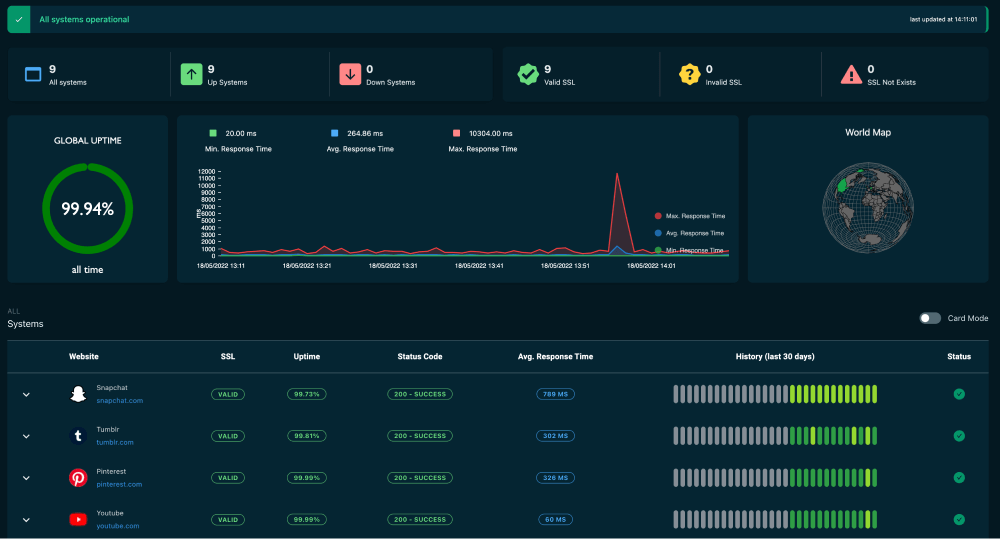
The list of payment pages. Each row shows the status, the script changes in the last 30 days, the approved scripts and the last scan.
The scripts on one checkout. Each script shows its approval, its CSP and SRI state and a risk score. One new script is not approved.
The change history of one checkout: a new script, header changes, a script that came back and a content change with a link to the difference.
The page agent status: Enforce mode, policy version 6, beacons from real visitors and 7 blocked actions in 24 hours.
The CSP endpoint of one site: violation reports grouped by blocked URL, with browsers, countries and IP addresses.
One incident for a new script. Step 1 sent email and Slack. Step 2 sent an SMS and a phone call.
The compliance reports: daily and monthly PDF evidence for PCI DSS 6.4.3 and 11.6.1.
Screens from the MonSpark PCI app, with example data.
How it works
A scan shows what the page serves. The page agent shows what real visitors receive. Together they cover scripts that load only for some countries, devices or logged-in users.
What it protects
Each script with each version it served. A new version waits for approval, with a written justification.
Only the scripts that you allow can read the card fields. Any other script gets an empty value, and you see the attempt.
Requests from the page go only to hosts that you approved. A request to any other host is blocked and reported.
MonSpark tracks the HTTP headers of the payment page and of each script. A header that is added, removed or changed opens an incident.
Anatomy of an attack
A third-party script gets new code. Its URL stays the same, so a CSP header still allows it.
It adds a listener to the card number field and copies each value that the customer types.
The data leaves in a small request that looks like analytics traffic.
The scan opens an incident for the changed script. In Enforce mode, the page agent gives the code an empty value and blocks the request.
Website monitoring features
Start using the powerful and easy-to-use features of MonSpark. Check Uptime, Text, Ping, Ports, SSL, Whois and more.

Ping monitoring provides information about the health of your network infrastructure, including latency and packet loss.
Learn more
Uptime monitoring is an important aspect of your company's website, as downtime can cost you both money and reputation.
Learn more
SSL certificates expire. Ensure your visitors aren't forced to leave your site because of expired SSL certificates.
Learn more
Server monitoring features
Start using the robust, easy-to-use, and intuitive features of MonSpark's Server Monitoring tool. Check CPU, memory, disk, network and more! Ensure a healthy running server experience.
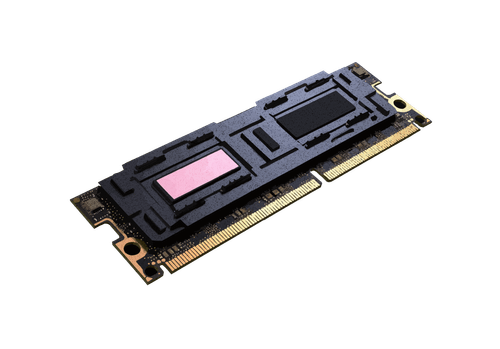
Monitor server memory usage to allocate resources efficiently, identify any memory-related issues, and maintain smooth performance for all applications and services.
Learn more
Track and analyze CPU usage within servers to optimize resource allocation, identify potential bottlenecks, and maintain peak performance levels.
Learn more
Monitor disk usage and performance in servers to ensure optimal storage management, detect potential issues, and maintain seamless operation.
Learn moreEmail, SMS, phone call, or the tools below. A status page on your own domain keeps your customers informed. See an example


Security and privacy
MonSpark watches your checkout without taking your customers' data.
The page agent never sends field values, keystrokes, cookie or storage values, or request bodies.
The agent removes query strings from URLs. MonSpark uses the visitor IP for the country, then drops it.
Each user can turn on a time-based code (TOTP). MonSpark encrypts TOTP secrets and channel tokens.
Six base roles, from no access to owner. Grants give more access on chosen tags, monitors and CSP endpoints.
Each approval, member change and API key change writes an entry with the hash of the entry before it. MonSpark keeps the log permanently.
Owners and admins set how long each kind of data stays. MonSpark runs as separate EU and Türkiye installations.
For your team
Great monitoring service for having a good overview of all sites of your agency!
 Marc B., review on G2
Versatile, customer friendly monitoring for every need
 Julian W., review on G2
Beautiful to look at and great functionality
 Callum H., review on G2
6.4.3 asks you to authorize each script on a payment page, check its integrity, and keep an inventory with a written justification for each script. 11.6.1 asks for a mechanism that alerts your team to unauthorized changes to the scripts and the security headers of the payment page. Both apply since 31 March 2025.
Yes. Scans alone give you the inventory, the approvals, change detection and the reports. The page agent adds the view of real visitors and the blocking in the browser.
No. The page agent never sends field values, keystrokes, cookie values, storage values or request bodies. It reports names, hosts and counts.
The agent is 12 KB or less with gzip and starts in 3 ms or less for a returning visitor. No network call blocks the page. If a check fails, the browser function runs as usual.
Yes. Website monitoring, server monitoring and synthetic transaction monitoring are MonSpark products on the same platform as client-side protection. You buy each product separately.
Email, SMS, phone call, Slack, Microsoft Teams and the other tools on the integrations page. Escalation policies decide who gets which alert, and when.

Book a demo
Our team shows you the scripts on your checkout today, and what 6.4.3 and 11.6.1 need from you.